Request a plan change
Server owners can request a higher tier, track the decision, and cancel a pending request. Changing a plan never deducts money from an in-character wallet.
Compare capacity
Free includes 150 members and 3 LEO departments. Community ($15/month proposed) has 500 seats with 3 LEO, DOT and Fire/EMS. Professional ($35/month proposed) has 1,000 seats with 5 LEO, DOT, Fire/EMS and 3 specialty slots. Top Dog is quote only: 10 departments in any mix, with no fixed member cap. Civilians never occupy department slots.
Send and track a request
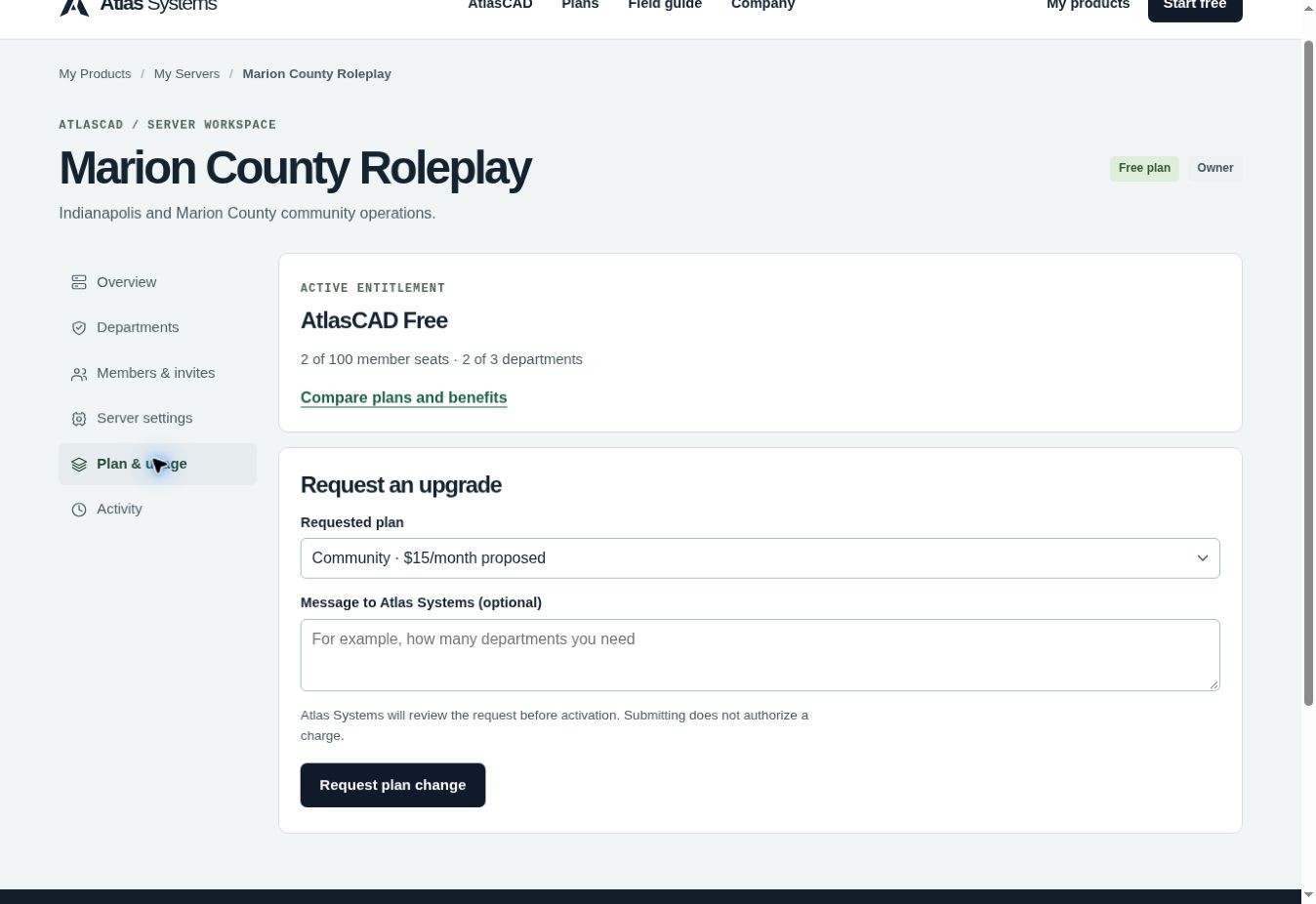
- From My Products → My Servers, select the server, then Plan & usage. Only its owner sees the request form.
- Choose a higher tier. If you need custom capacity, describe the number of departments and member seats you expect. Select Request plan change.
- The request stays pending until Atlas Systems reviews it. You can cancel a pending request before starting another. Reviewed requests show the decision and review note.
- Approval updates the plan and seat limits in your server. There is no automatic charge or self-service card checkout. Features marked planned on the comparison are not enabled simply by approving a plan.
Discuss this guide
No public questions linked to this guide yet.
Start a discussion